8 Best AI Tools for Social Media Captions (2026)
Part of The 9 Best Social Media Automation Tools, Prices Checked
Jasper documents the most brand-voice surfaces of the writing tools here, and SchedPilot is the best pick if you want the caption and the scheduling in one place. Brand-voice memory matters more than model quality.
Ten captions from one brief, and you rewrite nine of them. That is the normal experience of AI caption tools, and it is not a model problem. It is an input problem plus a workflow problem, and the two together decide which of the best AI tools for social media captions is right for you.
Eight tools below, ranked on voice retention and on where the caption lands, not on which model is cleverest. If you want the broader shortlist first, social media automation software compared covers the schedulers these sit next to.
How we picked and what we checked
Every price here was read off the vendor’s own pricing page in October 2026, in a browser rather than by fetching it, because several of these eight render their numbers client-side and return blank fields to anything else. One would not open cleanly: StoryLab.ai’s public pricing page is a 404, so its figures come from another first-party page of the same vendor.
ChatGPT was considered and is not listed: its pages would not open to automated capture, and every tool here carries a screenshot.
Feature claims come from each vendor’s own pages, under the rule that decided most of what is absent below: a vendor’s claim about its own output quality is not a finding. Several of these eight assert on their own pages that they learn or capture your voice. None of that is repeated here.
What we did not do is run eight subscriptions for a month. SchedPilot, at number two, is our own product, and what that does and does not buy sits on our editorial policy and disclosure page.
The test that actually separates them
The first caption is not the product: you need the fortieth to still sound like you, and no demo shows that. Run this before you pay.
Write one brief and freeze it. A real post you owe this week: subject, audience, the one thing the reader should do. The brief staying constant is the whole experiment.
Generate ten captions from it. Ten separate runs, not one run asking for ten variants: a single run returns ten things the model deliberately made different from each other.
Then make one binary call on each. Would you publish this unedited? Not “is it close”, not “could I fix it in thirty seconds”. Unedited, or it fails. Count the passes.
Four things move that number, and they are the columns worth comparing:
- Voice input. What the tool lets you store: an instruction block, example posts, a banned-word list, or three adjectives. Adjectives do not transfer.
- Per-platform output. Whether one brief produces a LinkedIn version and an X version inside each platform’s character limit, or one caption you trim nine times.
- Hashtag handling. Whether hashtags arrive with the caption or as a separate job. No network publishes a documented optimal count, so treat any suggested number as convention.
- Whether it can schedule. Without publishing, every caption carries a copy-paste step, and that is where per-platform edits get skipped.
The comparison table
Voice input is the column worth reading first: it is what the vendor documents you can store, not what the output will be. Entry price is the cheapest plan that generates.
| Tool | Voice input documented | Per-platform output | Hashtags | Schedules | Free tier | Entry price |
|---|---|---|---|---|---|---|
| 1. Jasper | Brand Voice, Brand IQ, Style Guide; documents no banned-word list | Not named | Not named | Not documented | No; free trial | $59/mo yearly |
| 2. SchedPilot | None named; AI Generated Posts and AI Hooks from Gold up | One post, 9 networks | Suggestions and saved sets | Yes, 9 networks | No; 7-day trial, card | $21/mo yearly |
| 3. Copy.ai | Brand Voice, learned or hand-defined; multiple voices | Not named | Not named | Not documented | None listed | $29/mo, 5 seats |
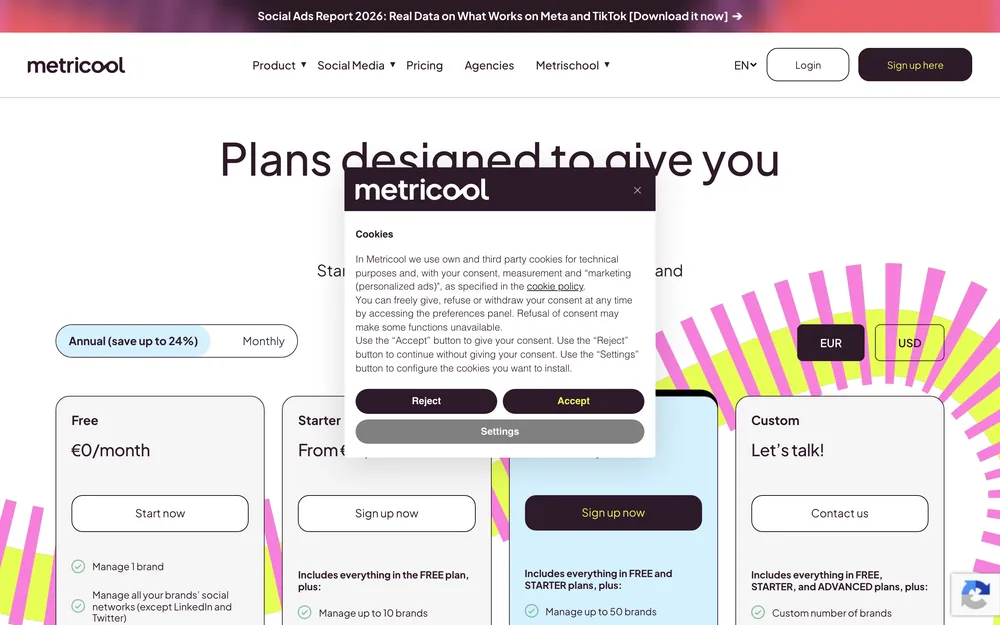
| 4. Metricool | AI assistant, 5 to 35 credits per brand monthly | Not named | Search and analysis listed | Yes | Yes, 1 brand, “except LinkedIn and Twitter” | From $20/mo yearly |
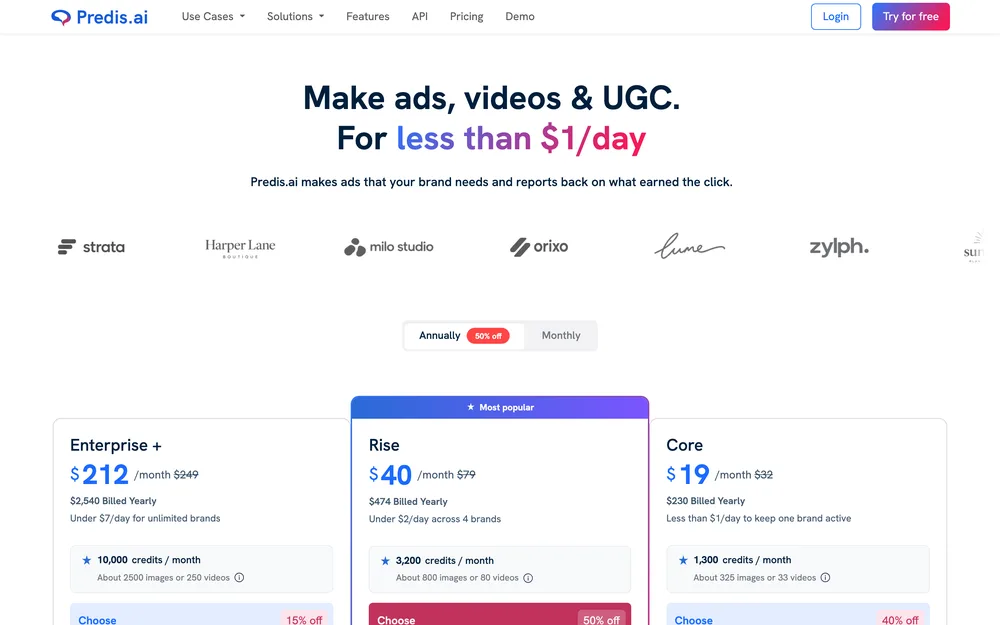
| 5. Predis.ai | Brand management; no voice fields named | Platform-specific editing | With the caption | “No Auto Posting” on Core | No; 3-day trial, card charged day 3 | $19/mo yearly |
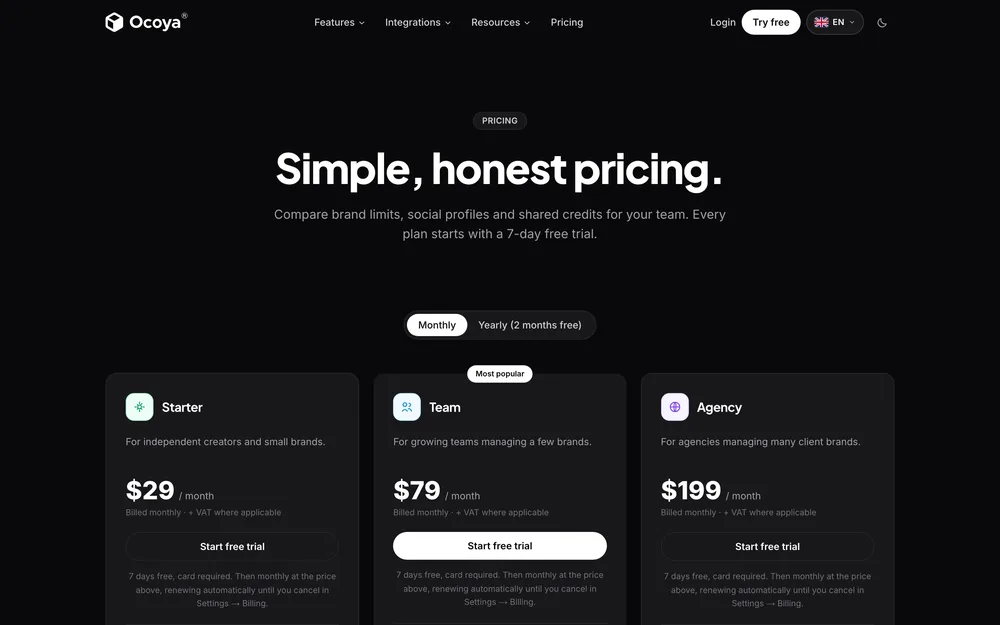
| 6. Ocoya | Brand kit from one sentence | 28 destinations | With the caption | Yes | No; 7-day trial, card | $29/mo |
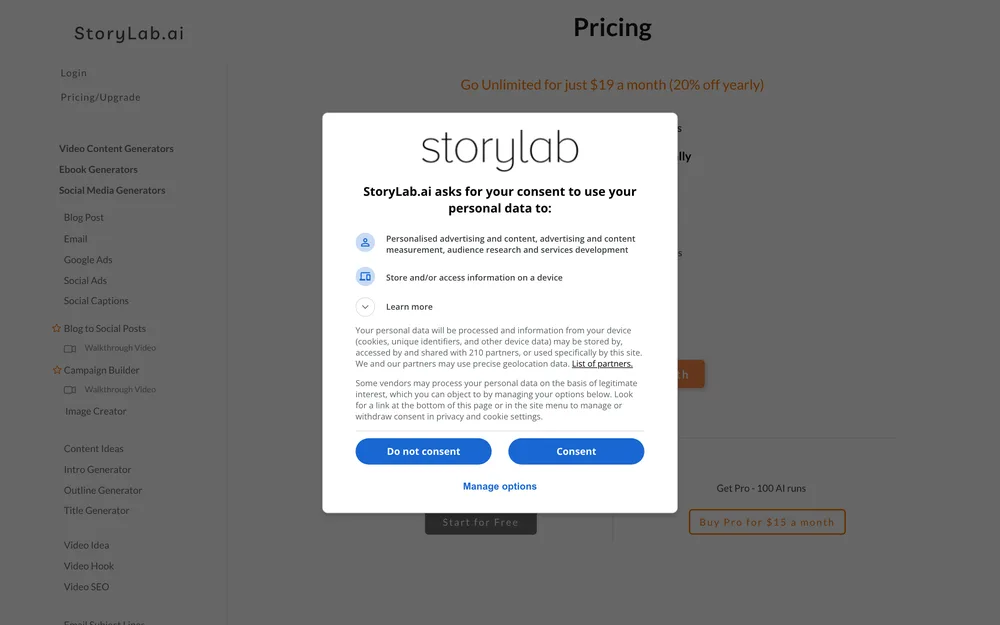
| 7. StoryLab.ai | A Tone Changer; no stored voice named | One generator per format | Not in its tool list | Not documented | Yes, 3 runs/mo | $15/mo, $19 unlimited |
| 8. Anyword | Brand voice, messaging bank, vocabulary; 1 voice self-serve | Channel templates only | Not named | Not documented | No; 7-day trial, 2,500 words | $49/mo |
The tools with the most developed voice surfaces document no publishing, and the tools that publish document the least about voice. Nobody has both ends of this well, so the answer depends on which half of the job hurts more.
01 Jasper
- Best for
- Teams where four people write social copy and it sounds like four people.
- Key strengths
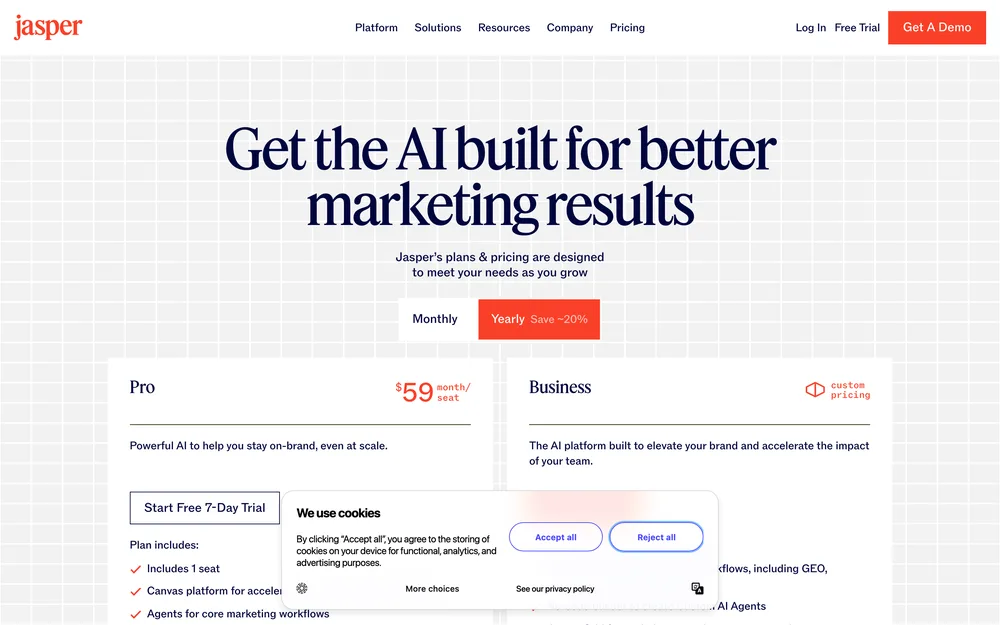
- Documents the most brand-voice surfaces of the dedicated writing tools here, including off-brand tone flagging. Its own Brand Voice page names Brand Voice, Brand IQ, Style Guide and Visual Guidelines, describes adjustable voice and tone settings, and describes flagging content where the tone is off-brand. The flagging is what you pay for in a team: it catches the draft nobody else would. Its pricing FAQ says standard content creation in Chat and Canvas is not what drives credit usage, so the writing is not metered as most tools here meter it. Long-form first, which suits the blog-to-social repurposing pattern.
- Biggest downside
- The most expensive self-serve entry here at $59 a month, and it documents no publishing. On the pages checked it documents no banned-word list, no per-post budgets, no never-claims section and no version history, which are the four things that make a voice spec enforceable rather than suggestive. Its second plan has no public price, so budgeting past Pro means a sales call.
- Pricing
- Pro $59 a month billed yearly, or $69 monthly. Business is custom-priced on request. Credits apply to usage-based features such as its GEO Hub and Agents. Free trial, no free plan. pricing checked October 2026
- Verdict
- Worth it when consistency across people is the problem. Over budget for one person.
02 SchedPilot
- Best for
- People whose caption problem is really a shipping problem: the writing is fine, but moving it onto nine networks eats the day.
- Key strengths
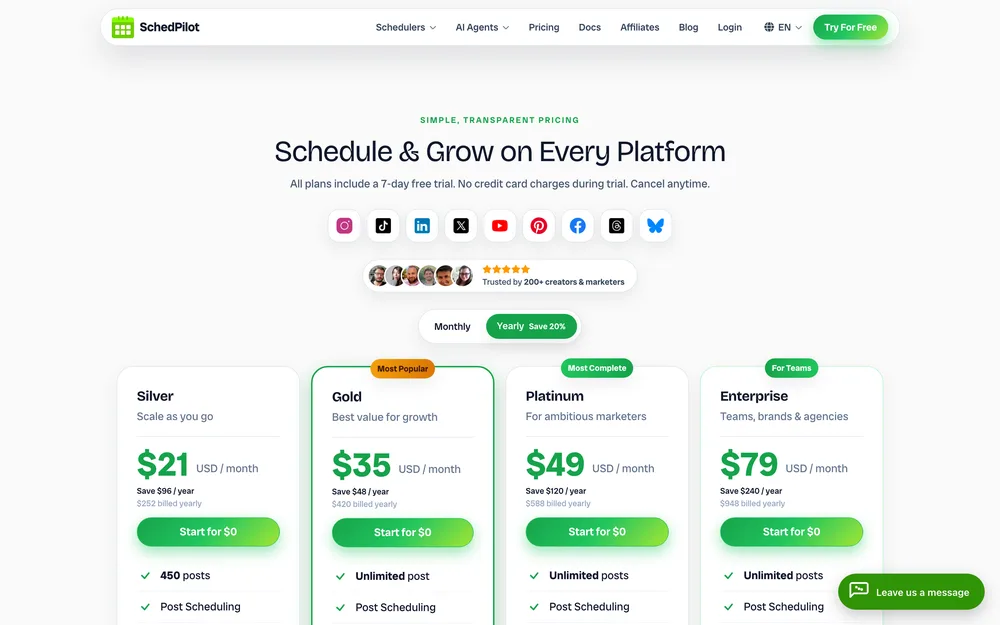
- It is the one entry here that is a scheduler first. Its pricing page documents AI Post Suggestions on every plan, and AI Generated Posts and AI Hooks from Gold up, metered as GPT-5 credits and generated in the composer where the post is already scheduled. Its homepage names hashtag suggestions inside that same generator, plus saved hashtag sets and an automatic first comment applied at publish, so hashtags are not a second job here. The second route matters more. Point Claude, ChatGPT or Cursor at its MCP server and the caption is written by your model, against your spec, then scheduled here. That route is worth setting up carefully: connecting an assistant safely covers the account side. We called that server: its eight tools are get_accounts, list_posts, create_post, upload_media, list_media, delete_post, get_analytics and create_linkedin_carousel, and none generates a caption. So an agent-written caption stays yours. SchedPilot’s homepage says nothing publishes until you approve it, while its pricing table ticks Post Approval Workflow on Enterprise only, so check your tier before you build on it. Nine networks, with LinkedIn profiles and company pages separate, as in the LinkedIn guide.
- Biggest downside
- Its fit on a caption page is partial, and the entry plan shows it: Silver’s own comparison column marks AI Generated Posts, AI Hooks and GPT-5 credits as excluded. There is no free plan either, only a 7-day trial with a card up front, charged $0 at the start. No voice-definition surface is named on its pages, so voice memory is not what you are buying.
- Pricing
- Silver $21 a month billed yearly, 5 accounts, 450 posts, no credits. Gold $35, 20 accounts, 300 GPT-5 credits. Platinum $49, 40 accounts, 5,100 credits. Enterprise $79, 100 accounts, 10 seats, 10,000 credits. Lifetime $299 once. pricing checked October 2026
- Verdict
- The pick if you want caption and calendar in one place, and the best here if your writer is an AI agent. Buy Gold, not Silver.
03 Copy.ai
- Best for
- Generating many versions of one hook cheaply, when you would rather pick from eight openers than perfect one.
- Key strengths
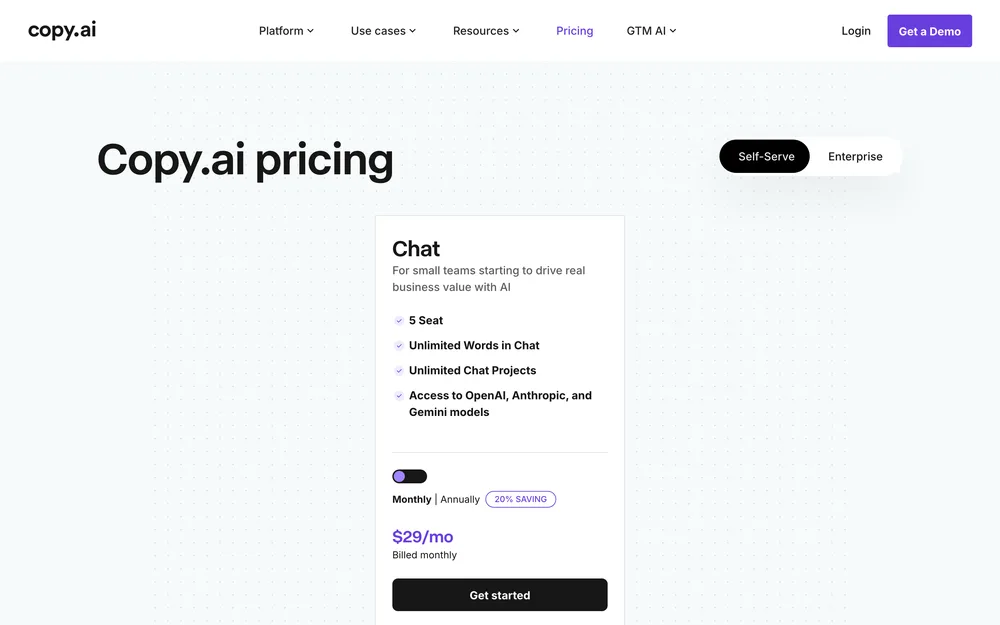
- Its self-serve plan includes unlimited words in chat, so variant count is not what you are billed for. That changes the habit: ask for eight openers, keep two, test both. Its Brand Voice page documents two routes into a voice: it can analyse your existing on-brand content, or you can define one by hand and keep several distinct voices. The hand-defined route matters, because a learned voice you cannot inspect is a voice you cannot correct. It reaches OpenAI, Anthropic and Gemini models, so one brief can be re-run across models, which suits the short formats in the X guide.
- Biggest downside
- It has moved away from social copywriting. What you buy is a general writing tool you work in through chat: the product is positioned for go-to-market teams, and its pricing page names no social caption surface, no per-platform variants and no hashtags. No free tier is listed, the $29 buys five seats whether you need one or five, and the annual rate is advertised as 20% off without the figure being shown.
- Pricing
- One self-serve plan, Chat, $29 a month billed monthly, with 5 seats. Annual billing is advertised at 20% off; the page does not print that figure. Enterprise is quoted. pricing checked October 2026
- Verdict
- Buy it for variant volume and the hand-defined voice. Do not expect a social-first caption tool; it no longer sells itself as one.
04 Metricool
- Best for
- Writing the next caption where you can see how the last twenty did.
- Key strengths
- Its AI social media assistant sits inside a tool whose main job is measurement, so the loop from “what worked” to “write another like that” has no export step. The free plan is unusually complete: one brand, 20 scheduled posts a month, five competitor profiles, 30 days of analytics, the AI assistant and its MCP server, with no trial clock. A hashtag search engine and hashtag analysis are listed as features. If reporting is half of it, reporting without the export goes deeper.
- Biggest downside
- The AI is metered thinly, and per brand: 5 credits per brand per month on Free, 20 on Starter, 35 on Advanced. One ten-caption test eats half a month’s Starter allowance for that brand. The free plan covers your networks “except LinkedIn and Twitter”, in its own words, which for a B2B account removes the two you wanted most.
- Pricing
- Free for 1 brand. Starter from $20 a month billed annually for up to 5 brands. Higher tiers are priced by brand count. The page also shows euro prices, which are not converted here. pricing checked October 2026
- Verdict
- The best free entry point here, and the right tool if you want captions next to numbers.
05 Predis.ai
- Best for
- Instagram-first accounts where caption and image must be decided together, not in two tools.
- Key strengths
- It generates the visual and the caption in the same run, and its own comparison table lists captions, hashtags, carousel creatives, videos and Reels alongside platform-specific editing. For a feed account that is the honest shape of the work: the caption that fits the carousel you actually made is not the one you wrote first. Credits are generous for the price, the entry plan listing 1,300 a month, roughly 325 images or 33 videos. For what the network accepts, see what Instagram will let you schedule.
- Biggest downside
- Core at $19 a month explicitly lists “No Auto Posting”, so the tier most people will buy makes content you then post by hand. Auto posting starts at Rise, at $40. The trial is three days and the card is charged when day three ends.
- Pricing
- Core $19 a month billed yearly, 1 brand, 1,300 credits, no auto posting. Rise $40, 4 brands, 3,200 credits, auto posting, 20 channels. Enterprise+ $212, 10,000 credits, 60 channels. Three days free, card required. pricing checked October 2026
- Verdict
- Good value if you need picture and words together. Budget for Rise, not Core.
06 Ocoya
- Best for
- One idea that must become a post on destinations your scheduler does not reach.
- Key strengths
- Its pricing page counts 28 integrations, and its own list reaches past the usual nine to Telegram, Discord, Mastodon, Google Business Profile and WordPress, the gap most schedulers leave for local businesses and community accounts. Caption, visual and hashtags are generated in one pass, and it documents translation into 37 languages. On the mechanics underneath, read cross-platform publishing.
- Biggest downside
- The voice input is the thinnest here relative to the promise. Its own walkthrough builds a brand kit from one sentence about your company plus tone chips such as “Warm” and “Expert”, the adjective approach that produces median copy. No banned-word list is named and no example library. Starter is single-user, so a second person means $79.
- Pricing
- Starter $29 a month, 1 user, 5 profiles, 300 credits. Team $79, 5 users, 20 profiles, 1,500 credits. Agency $199, 20 users, 100 profiles, 5,000 credits. Yearly is advertised as two months free. Seven-day trial, card required. pricing checked October 2026
- Verdict
- Buy it for the destination list and the one-pass generation. Its brand kit will not hold a voice a fussy writer recognises.
07 StoryLab.ai
- Best for
- Hooks and short captions for video, when you want no platform, calendar or onboarding call.
- Key strengths
- Its generator list is a menu of single jobs: social captions, video hooks, blog to social posts, a tone changer, a text shortener. For short video the hook generator earns its place: the first three words do most of the work. There is a genuine free tier at three runs a month, and unlimited runs cost $19. The lowest-commitment way to bolt a hook generator onto the kind of workflow the TikTok guide describes.
- Biggest downside
- Its tool list documents generators only, with a Tone Changer rather than a stored voice, so every run starts from nothing, which is the thing the ten-caption test is there to expose. It also shows signs of light maintenance: the old public pricing address returns a 404 and the app footer still carries a 2023 copyright.
- Pricing
- Free at 3 AI runs a month. Pro $15 a month for 100 runs. The AI Toolkit plan is $19 a month for unlimited runs plus the campaign builder, with 20% off annual billing. pricing checked October 2026
- Verdict
- Worth $19 as a hook machine alongside something else. Not a candidate if one tool must hold your voice.
08 Anyword
- Best for
- High-volume accounts needing a tiebreak between two captions nobody can choose.
- Key strengths
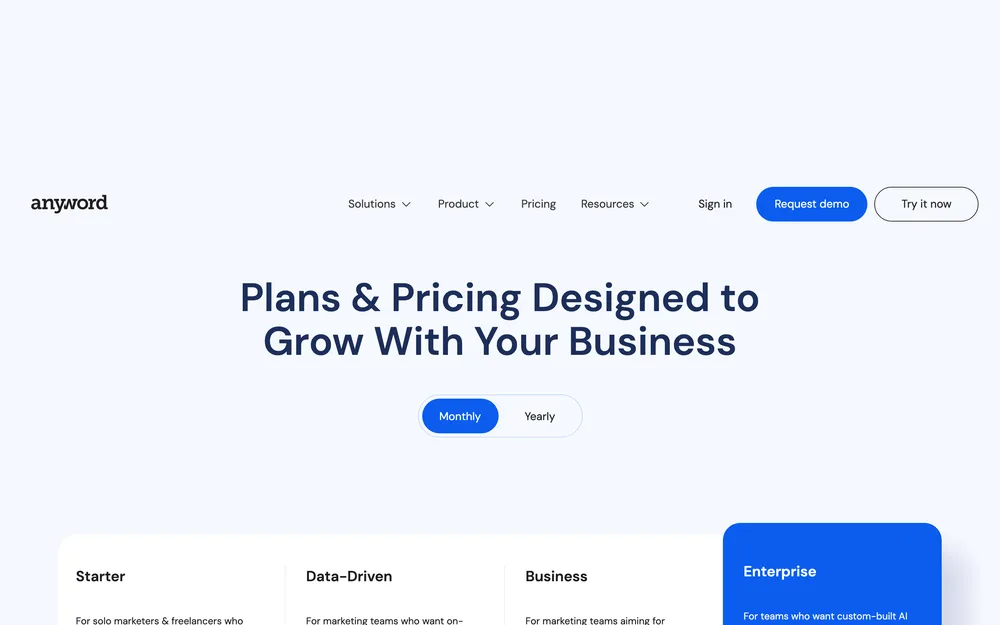
- It is the only tool here that scores copy before you publish it, a different proposition from writing it well. Its pricing page documents monthly performance predictions as a metered feature, plus a content improver and real-time predictions on manual edits from the second tier up. The brand side is more structured than most: the feature table names brand voices, tone of voice, a messaging bank, target audience and brand vocabulary separately, and a vocabulary list is closer to an enforceable rule than a tone slider. Where volume and ad copy meet, Facebook posting, the compliant route is the companion piece.
- Biggest downside
- The scoring you are buying is the thing that runs out. Starter at $49 includes 50 performance predictions and the $99 tier includes 100, which is not much for an account posting daily across several networks. Both self-serve plans include exactly one brand voice, so a second client needs the custom-priced Business tier. The customer percentages on its own pricing page are testimonials, not measurements.
- Pricing
- Starter $49 a month: 1 seat, 1 brand voice, 50 predictions. Data-Driven $99: 3 seats, 1 voice, 100 predictions. Business and Enterprise are custom-priced. Seven-day trial, 2,500-word cap. pricing checked October 2026
- Verdict
- Useful as a referee, not a writer. Worth $49 only if indecision is costing you posts.
Why most AI captions read badly
Four input mistakes account for nearly all of it, and all four are free to fix.
Adjectives instead of rules. “Friendly, professional, approachable” names an effect on a reader, not an act a writer performs, so the model returns the median of everything ever posted. Replace each with something you could fail a draft against: a median sentence length, a ban on opening with a question, a closing instruction. On getting AI to sound like you there is the full method, the half no tool sells you.
No examples, or examples with no commentary. Five good posts pasted in with nothing attached teaches the surface: the line breaks, the lowercase opener, the colon in the second line. Annotate three instead, and on each say what the model must not copy.
No banned list. The cheapest win available, and the one most tools give you nowhere to put. An instruction to write plainly never catches what a named string catches. Build it from your own drafts: when an output makes you wince, the word goes in that evening.
Asking for one caption instead of five. One request for one caption means you edit whatever arrives. Ask for five against the same brief and pick. Make it a standing instruction rather than something you remember to type: prompts with an output contract covers fixing the output shape.
A good brief does not reproduce your voice, it reliably produces something inside your acceptable range, a narrower and far more useful promise. Structure, banned strings, hook shape and claim discipline are mechanical, and those four are most of what makes AI output feel off. Judgement does not transfer. Repurposing is a separate problem, handled by tools that turn one asset into many; a generator is not an agent, which is agent tools compared.
Picking from the best AI tools for social media captions
Three questions, in order. Answering the third first is how people pay $59 a month for a voice feature they never fill in.
Does the voice need to survive other people? If one person writes everything, the voice lives in a brief you maintain and reuse, so a stored brand-voice object is a convenience rather than the point. If four people write and it sounds like four people, that is what Jasper’s off-brand flagging is for, and Copy.ai’s hand-defined voices are the cheaper version.
Do you need genuinely different output per platform? If a LinkedIn version and a short-video version are different pieces of writing, no tool here does that properly: keep the variation in your own brief and use the tool for volume. If the variation is mostly character limits and hashtags, a tool that generates in the composer removes more work than a better writer would. SchedPilot, Ocoya and Metricool all do this.
Do you want the caption and the schedule in one place? SchedPilot if your writer is an AI agent or you want nine networks behind one composer, Ocoya if your destination list runs longer than nine, Metricool if you want a free tier and the numbers in the same window. Jasper, Copy.ai and Anyword document no publishing, so they are buys only when the writing is the bottleneck.
If you do nothing else here, do the test. Write one brief, generate ten, count how many you would publish untouched, then spend on whichever constraint that number exposes. Captions are one piece of a bigger job: automate social media without losing the thread is the rest of it.
Questions people actually ask
What is the best AI tool for social media captions?
It depends on which half of the job hurts more, because nothing here does both halves well. Jasper documents the most brand-voice surfaces of the writing tools, down to flagging a draft whose tone is off-brand, and it documents no publishing. SchedPilot is the pick if you want the caption written where the post is already scheduled, across nine networks.
Can AI write captions that sound like my brand?
It can reliably produce something inside your acceptable range, which is a narrower promise than sounding like you. Structure, banned words, hook shape and claim discipline all transfer, and those four are most of what makes AI output feel off. Judgement does not transfer: what is worth saying this week, which anecdote actually happened. Expect your best posts to stay yours.
What should I test before paying for a caption tool?
Run the ten-caption test on whatever you already have. Write one real brief with rules, examples and a banned list, generate ten captions from it in ten separate runs, then count the ones you would publish unedited. If that score is poor with a proper brief in front of it, no dedicated caption product will fix it, because the input was the problem.
Do AI caption tools handle hashtags well?
Some generate them with the caption and some leave it to you. Predis.ai, Ocoya and SchedPilot all document hashtags produced in the same pass as the caption, and Metricool lists a hashtag search engine and hashtag analysis as features. Jasper, Copy.ai and Anyword name no hashtag feature on their pricing pages. No network publishes a documented optimal count, so treat any suggested number as convention.
Should captions be different for each platform?
Yes, and no tool on this page does it properly for you. Length limits alone force it, and a LinkedIn post and a short-video caption are two different pieces of writing rather than one trimmed twice. Keep the per-platform variation in your own brief, then use the tool for volume. Predis.ai is the only one of the eight that lists platform-specific editing.
Are AI caption credits worth paying for?
Only if you check the allowance against how you actually work. Metricool meters its assistant at 5 to 35 credits per brand per month, so one ten-caption test eats half a month on Starter. SchedPilot lists no GPT-5 credits at all on its $21 Silver plan. Anyword meters the scoring rather than the writing, at 50 predictions on its $49 tier.
How do I stop AI captions sounding generic?
Replace every adjective with a rule you could fail a draft against. "Friendly and professional" names an effect on a reader, not an act a writer performs, so you get the median of everything ever posted. Give it a median sentence length, a ban on opening with a question, a named banned-word list, three annotated examples, and ask for five captions rather than one.
Read next
The 9 Best Social Media Automation Tools, Prices Checked
Nine tools ranked on what they actually automate, with checked October 2026 pricing and a real downside for every one of them.
9 Best AI Agents for Social Media, Scored on What They Decide
Nine products sold as AI agents, scored on how much they actually decide rather than how much AI is in the marketing.
7 Best Content Repurposing Tools, Compared (2026)
Seven tools split by what they actually ingest, because buyers keep conflating video clipping with text repurposing and paying for the wrong…